Use Case
Plan a product launch campaign
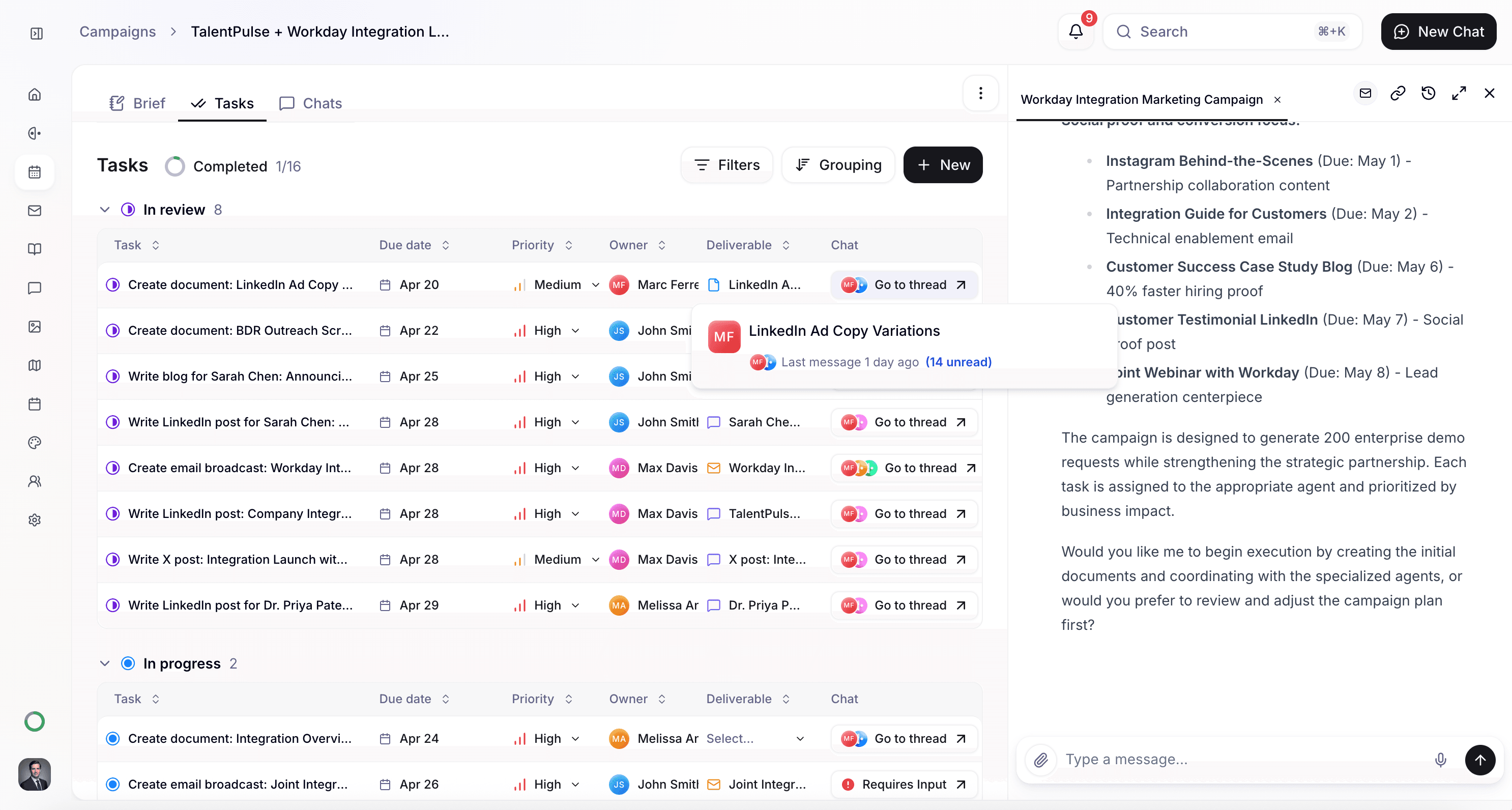
Coordinate a multi-channel launch for a new product or feature — with blogs, emails, social posts, and events working together under one strategic umbrella so nothing falls through the cracks.
How it Works
Before you start
This use case works best when you've already set up some foundational elements in Quotient:
- Memories populated: Add your product overview, key value propositions, and competitive positioning. The Quotient agent uses this to write a strategic brief that grounds every deliverable in your actual messaging.
- Target audience defined: Know who this launch is for — existing customers, prospects, a specific vertical, or all of the above. This shapes which channels and messaging matter most.
- Launch details ready: Have the feature name, key benefits, launch date, and any supporting materials (screenshots, specs, demo recordings) on hand.
How to do it in Quotient
1. Start a conversation with the Quotient agent
Open a new chat and describe the launch. Include what you're launching, who it's for, and what channels you want to use. For example:
"Create a product launch campaign for our new AI-powered analytics feature. The campaign should include a blog post explaining the feature, an email broadcast to existing customers, social media posts announcing the launch on LinkedIn and X, and a webinar event demonstrating how it works."
2. The agent creates a campaign with tasks
The Quotient agent creates a campaign with a strategic brief and a set of tasks — one for each deliverable. The brief captures the launch objectives, target audience, core messaging, and timeline so every agent working on the campaign stays aligned.
3. Review and refine the plan
Look over the campaign and ask for changes before execution begins:
- "Add a second email — a follow-up for people who didn't open the first one"
- "Include a LinkedIn post from our CEO's personal account, not just the company page"
- "Move the webinar to the week after launch — we need the blog out first"
- "Sharpen the brief — the messaging should lead with the time-savings angle"
4. Kick off execution
Once you approve the plan, the Quotient agent kicks off execution — writing the blog post, creating the email broadcast, drafting social posts, and planning the webinar. You stay in control as tasks move through review.
What you'll get
A typical product launch campaign includes:
- Strategic brief — objectives, audience, messaging, and timeline that aligns all deliverables
- Blog post — feature announcement with benefits, use cases, and screenshots
- Email broadcast — targeted announcement to customers or prospects
- Social posts — platform-specific announcements for LinkedIn, X, and Instagram
- Webinar or demo event — live walkthrough showing the feature in action
Tips for better results
- Sequence your deliverables. Blogs should publish before social posts go out so there's something to link to. Emails often perform best when they land the same day as the announcement.
- Provide screenshots and demos. the Quotient agent can write compelling copy, but real product visuals make the content dramatically more effective. Share screenshots or recordings in the chat.
- Think about post-launch. The best launches don't stop on day one. Ask the Quotient agent to include follow-up emails, a customer success story a few weeks later, or social posts highlighting early adoption.
- Use personal accounts. Posts from founders or executives consistently outperform company accounts. Include personal social posts alongside company announcements.
- Include the "why." Tell the Quotient agent why you built this feature — what customer pain point it solves. This context makes every deliverable more compelling than a generic feature announcement.
Get Started
Create a product launch campaign for our new AI-powered analytics feature. Include a blog post explaining the feature, an email broadcast to existing customers, social posts on LinkedIn and X announcing the launch, and a webinar demonstrating how it works. I'll share the feature details and screenshots.