Use Case
Run always-on thought leadership campaigns
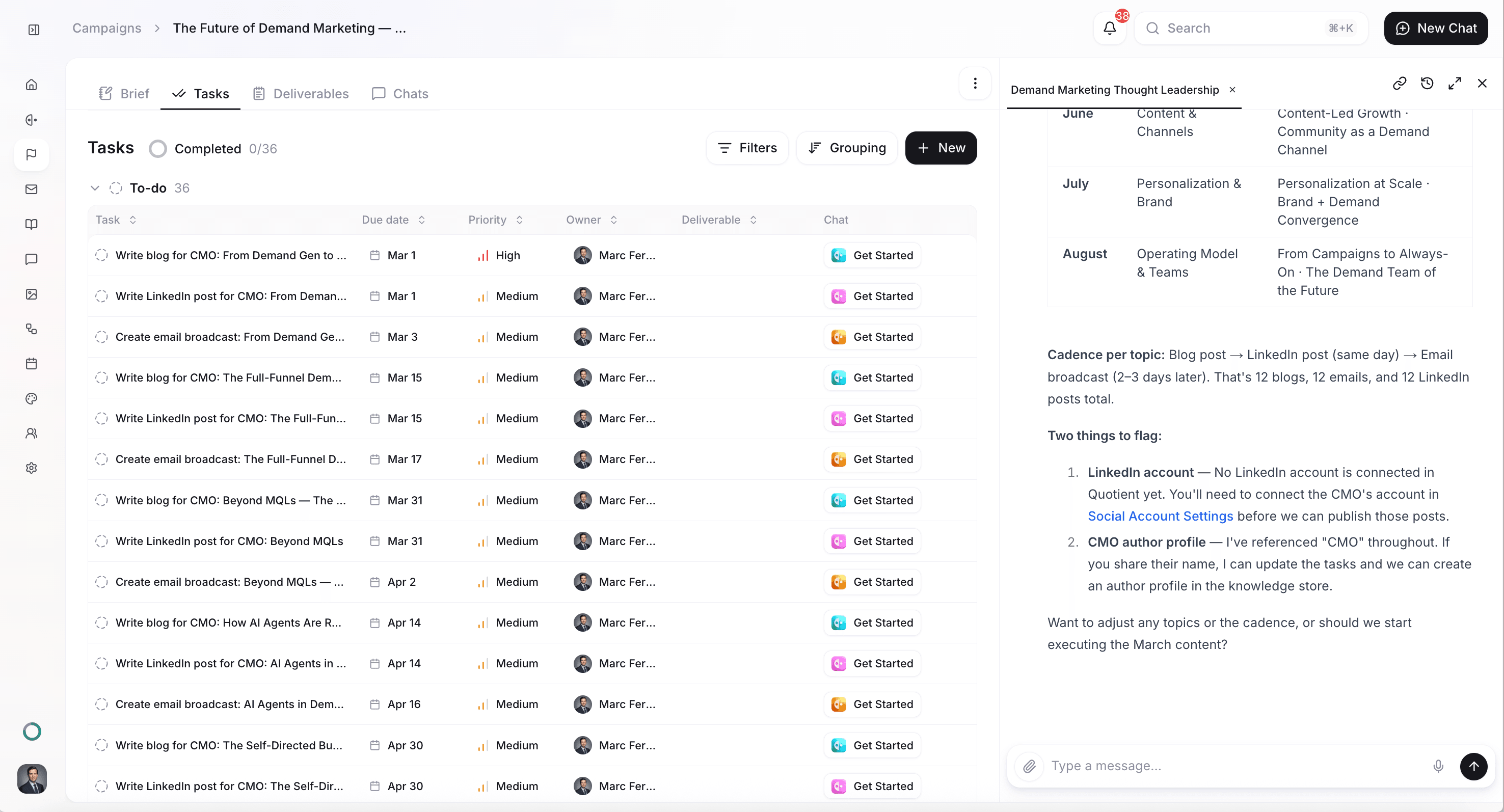
Schedule an AI Job to run every week: the Quotient agent checks what's happening in your industry, creates a campaign with the research in the brief, and adds tasks for the deliverables (blog, email, social) so you can review and run thought leadership that reacts to the moment.
How it Works
Before you start
This use case works best when you've already set up some foundational elements in Quotient:
- Memories populated: Add your brand voice, competitive positioning, industry focus, and author profiles so the campaigns align with your theses and voice.
- Industry and theses defined: Know your industry and the 2–3 ideas you want to own (e.g. "AI-native beats legacy marketing tools"). The job will look for what's happening in your space and create campaigns that tie current events to those theses.
- Channels in mind: Decide which channels you typically use (blog, email, LinkedIn, X) so the job adds the right tasks to each campaign.
How to do it in Quotient
1. Navigate to AI Jobs
Go to the Jobs page under the AI Jobs section in the sidebar, or ask Quotient in chat to create a recurring job for you.
2. Write your prompt for the weekly job
For any evergreen or automated campaign, the pattern in Quotient is: create an AI Job on an interval; when it runs, create a campaign (put the research and context in the brief) and add tasks to that campaign for each deliverable. Tasks are the units of work — when you run them, the Quotient agent produces the actual content (documents, emails, posts). So the job creates the campaign and the tasks; you review and then kick off the tasks.
Write the instructions you want the Quotient agent to follow each week. The job should: (1) research what's happening in your industry that week, (2) create a campaign with that research in the brief, and (3) add tasks to the campaign for each deliverable. For example:
"Every Monday at 9am, research what's been happening in [your industry] over the past week — news, trends, competitor moves, or conversations that matter to our audience. Then create a campaign: put the research and 1–2 timely angles we could own in the campaign brief (tied to our core theses from the Memories), and add tasks for a blog post, an email angle, and 2–3 LinkedIn/X posts."
3. Set your schedule
Choose when the job runs — typically weekly (e.g. every Monday morning) so you get a fresh campaign in time to plan the week or month. The agent will execute the prompt automatically at the scheduled time.
4. Review the campaign and run the tasks
Each run creates a real campaign with a brief (including the research) and tasks for each deliverable. Review the brief and the tasks; edit if needed, then assign or kick off the tasks so the Quotient agent produces the content. You stay in control of what goes out.
What you'll get
Each weekly run produces:
- A campaign — with a brief that includes the industry research and 1–2 timely angles tied to your theses
- Tasks on that campaign — one task per deliverable (e.g. blog post, email, LinkedIn/X posts) so you can execute in one place
- Consistent opportunity detection — you never miss a moment to lead the conversation; review and run when it fits
Tips for better results
- Be specific about your industry. "B2B SaaS marketing" or "healthcare IT" helps the agent find the right signals. Include competitor names or topics to watch if that helps.
- Tie the brief to your theses. In the job prompt, reference your core positioning so the campaign brief reinforces your brand instead of chasing every trend.
- Edit the brief or tasks before kicking off. The job creates the campaign and tasks; you can refine the brief or add/remove tasks before execution.
Get Started
Create a recurring AI Job for the Quotient agent: every Monday at 9am, research what's been happening in [your industry] over the past week — news, trends, competitor moves, or conversations that matter to our audience. Then create a campaign: put the research and 1–2 timely angles we could own in the campaign brief (tied to our core theses from the Memories), and add tasks to that campaign for a blog post, an email angle, and 2–3 LinkedIn/X posts. I'll review the campaign and kick off the tasks when ready.