Use Case
Automate competitive intelligence monitoring with AI Jobs
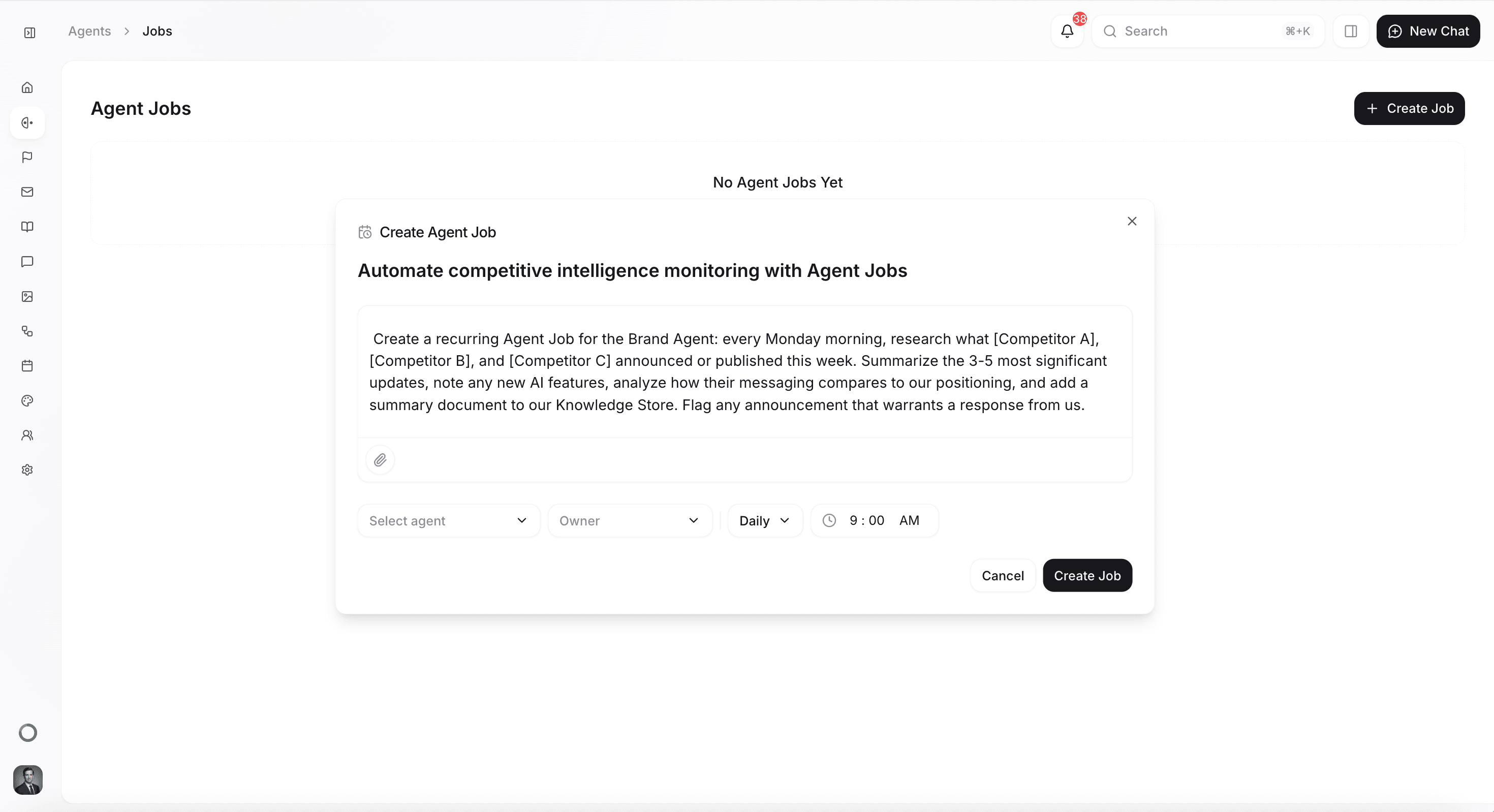
Never miss a competitor move again — schedule the Quotient agent to automatically research your competitors every week, compile strategic analysis, and add it to your Memories so your whole team stays informed.
How it Works
Before you start
This use case works best when you've already set up some foundational elements in Quotient:
- Memories populated: Add your competitive positioning and key differentiators so the agent can frame competitor updates in the context of your strengths and weaknesses.
- Competitors identified: Know which companies you want to track — their names, websites, and the specific areas you care about (pricing changes, new features, market expansion, messaging shifts).
- Competitive intelligence folder created: Set up a dedicated folder in your Memories where the agent can save weekly reports for easy reference.
How to do it in Quotient
1. Navigate to AI Jobs
Go to the Jobs page under the AI Jobs section in the sidebar, or ask Quotient in chat to create a recurring job for you.
2. Write your prompt
Write the instructions you want the Quotient agent to follow each time the job runs. Be specific about which competitors, what to look for, and how to report findings. For example:
"Research what HubSpot, Marketo, and Salesforce Marketing Cloud announced or published this week. Visit their blogs, press releases, and product update pages. Summarize the 3-5 most significant announcements, note any new AI features they've launched, analyze how their messaging compares to our positioning, and identify any gaps in their offerings that we can exploit. Create a summary document and add it to the Memories. If any announcement is significant enough to warrant a response from us, flag it and explain why."
3. Set your schedule
Weekly is the most common cadence for competitive monitoring — enough to stay current without creating noise. Set it for Monday mornings so you start each week with a fresh competitive landscape view.
4. Review and act
Each week, review the agent's findings in the Memories. Use the insights to update battle cards, brief the sales team, adjust messaging, or create reactive content when a competitor makes a significant move.
What you'll get
Each scheduled run produces:
- Competitor activity summary — the most important announcements, launches, and updates from each tracked competitor
- AI feature tracking — specific analysis of competitors' AI capabilities and how they compare to yours
- Messaging analysis — how competitor positioning is evolving and where you have clear advantages
- Opportunity flags — gaps or weaknesses you can exploit in your own marketing and sales efforts
- Memories update — findings automatically saved and accessible to the Quotient agent for future content creation
Tips for better results
- Be specific about what to track. "Monitor competitors" is too vague. "Track product launches, pricing changes, and AI feature announcements from HubSpot and Marketo" gives the agent clear targets.
- Include customer sentiment. Add instructions to check review sites, Reddit, and social media for customer reactions — competitor announcements matter less than how their customers respond.
- Layer multiple jobs. Run a weekly quick scan and a monthly deep dive. The weekly job catches breaking news; the monthly job provides strategic analysis and trend identification.
- Connect to action. Include instructions for the agent to flag items that need a response — a competitor's new feature you should counter-position against, or a pricing change you can exploit in sales conversations.
- Share with the team. Route the weekly report to your sales and product teams so everyone benefits from the intelligence, not just marketing.
Get Started
Create a recurring AI Job for the Quotient agent: every Monday morning, research what [Competitor A], [Competitor B], and [Competitor C] announced or published this week. Summarize the 3-5 most significant updates, note any new AI features, analyze how their messaging compares to our positioning, and add a summary document to our Memories. Flag any announcement that warrants a response from us.